




Overview
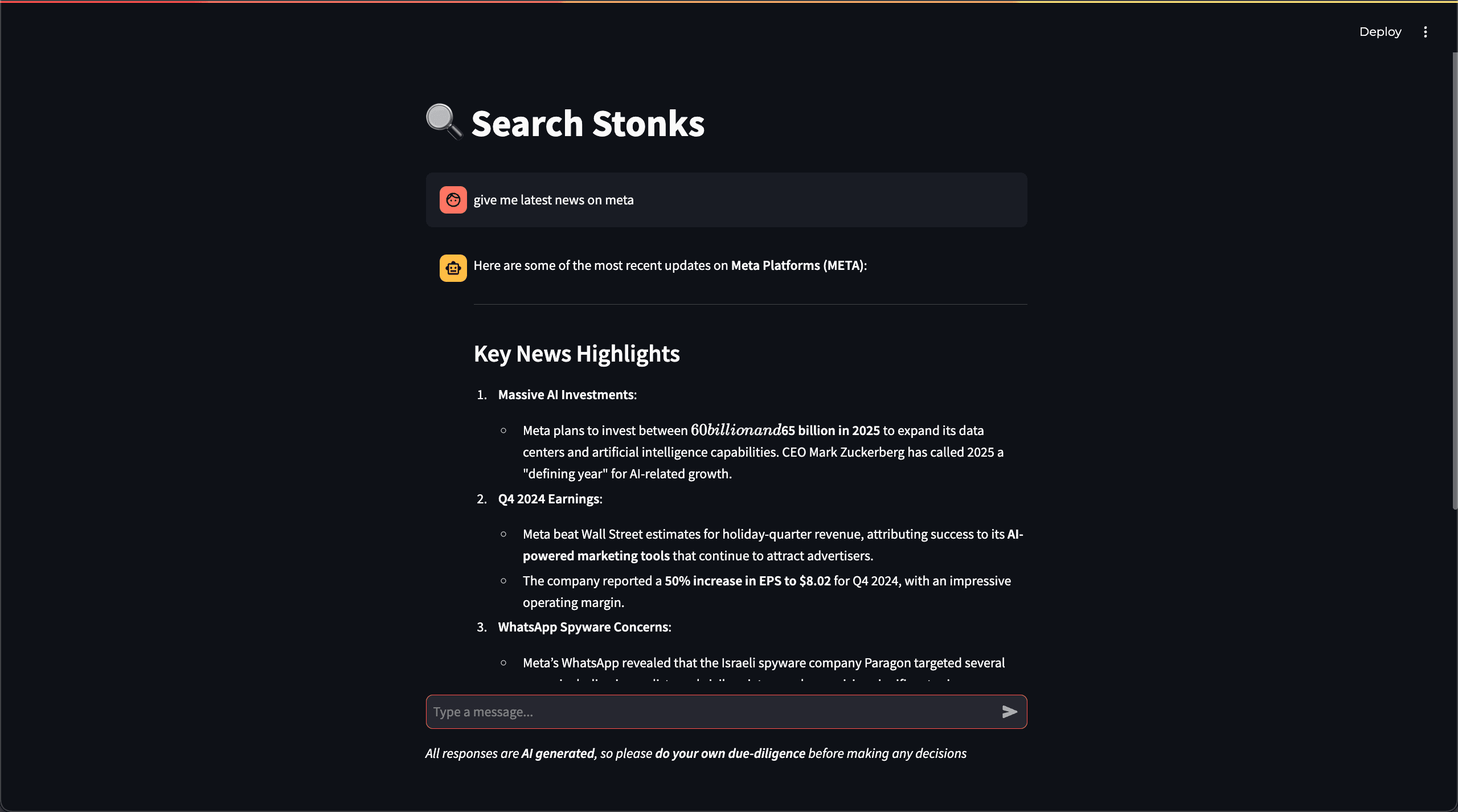
A RAG (Retrieval Augmented Generation) based chat application capable of providing realtime stock quotes, market insights, stock news, historical earnings as well as creating a meaningful visualization of that data on the fly.
https://github.com/user-attachments/assets/75e18bb6-9b46-45e6-83d7-ce55e469b51a
Stack
Backend: FastAPI, Docker, FinnHub
AI/LLM: LangChain, LangGraph, Azure OpenAI
App Architecture
Three core components work together:
client.py- Streamlit frontend with chat interfaceserver.py- FastAPI backend handling AI processingllm.py- LangGraph workflow with financial data tools
Features
- Real-time stock data analysis
- Company recommendation trends visualization
- Earnings history and news summaries
- Conversational AI with financial expertise
- Dockerized application for easy deployment
Local Setup
Prerequisites
- Docker and Docker Compose
- API keys for Finnhub and Azure OpenAI
Installation
- Clone the repository
- Create a
.envfile in the root directory with the following content:
OPENAI_API_DEPLOYMENT=your-deployment-name
OPENAI_API_MODEL=your-model-name
AZURE_OPENAI_ENDPOINT=your-azure-endpoint
OPENAI_API_VERSION=2023-05-15
OPENAI_API_KEY=your-openai-key
FINNHUB_API_KEY=your-finnhub-key- Build and run the Docker containers:
docker-compose up --buildUsage
After running the Docker containers:
-
Access the Streamlit frontend at
http://localhost:8502 -
The FastAPI backend will be available at
http://localhost:8000 -
Sample Queries:
Q. "Show me recommendation trends for apple"
Q. "What's the current price of tesla?"
Q. "Summarize recent news for microsoft"
Q. "Display earnings history for google"
Component Interaction
- Client (Streamlit Frontend)
- Handles user interface and chat history
- Sends prompts to server via POST requests
- Visualizes responses using Streamlit charts
- Maintains session-based chat history
- Server (FastAPI Backend)
- Receives POST requests with user prompts
- Maintains conversation state using LangGraph
- Coordinates with financial data tools
- Returns AI-generated responses in JSON format
- LLM Workflow (LangGraph)
- Processes natural language queries using Azure OpenAI
- Routes to appropriate financial tools:
getStockData: Company profilesgetStockRecommendation: Analyst trendsgetCompanyNews: Recent news summariesgetStockPrice: Real-time quotesgetCompanyEarnings: Historical performance
Docker Configuration
The application is containerized using Docker for easy deployment and consistency across environments.
- Dockerfile: Defines the environment for both the server and client.
- docker-compose.yml: Orchestrates the multi-container setup:
server: Runs the FastAPI backendclient: Runs the Streamlit frontend
To modify ports or environment variables, adjust the docker-compose.yml file.
License
MIT License - Use responsibly with proper API key management. Always verify financial insights with professional advisors.